Privileges
Reservations are made on Pilot Schedule by phone or computer. Your privileges depend on your membership.
| Membership | Privileges |
|---|---|
| Full or Associate Member | Reserve 30 days in advance, 6 hrs total, 4 hrs/day weekday, 2 hrs/day weekend. |
| Limited or Introductory Member | Maximum two reservations at any time. Weekdays: Two-hour limit per day, scheduled up to 30 days in advance Weekends: One reservation per weekend, two-hour limit, not earlier than 5 days in advance. |
Limited/Introductory pilots must self-enforce their extra restrictions.
Last minute reservations: We want the gliders to be used as much as possible. So if any reservation block is open less than 24 hours before the block time, and member can reserve it regardless of the restrictions above.
Flight Sharing
Pilot Schedule has a flight sharing feature for two-seat gliders. The reservation has a unique color, and members interested in sharing flights can get notifications.
Shared open
On any reservation that you create, you can click on the “Shared Flight” button, bottom left.
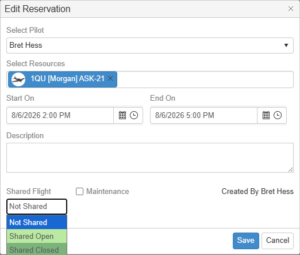
Click on “Shared Open” and save, and your reservation will appear light green. You can leave comments about the flight as well as max weight for the other pilot.
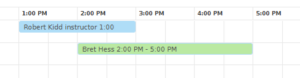
Members can see the green shared reservation on the schedule and will be notified if they chose that in their Profile settings. Pilots who would like to fill your empty seat can contact you, and the two of you can decide if the flight will work.
Shared Closed
When you have filled the second seat, go back to the reservation and mark it “Shared Closed“, which is a dark green.
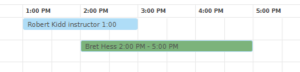
If you flew with another member flight please mark it “Shared Closed” so we have an idea of how often members are offering and taking shared flights in the club gliders. If you didn’t fill the second seat, just fly and leave your reservation as “Shared Open” for the same reason.
Here are the colors you will see on Pilot Schedule

Get notified of shared flights
Go to your Profile (click the down arrow under your name upper right)
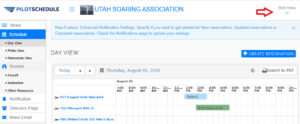
Go to the very bottom of your Profile settings
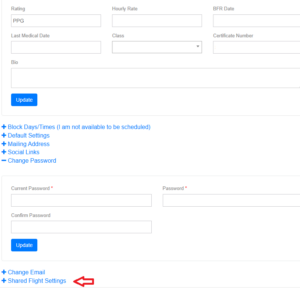
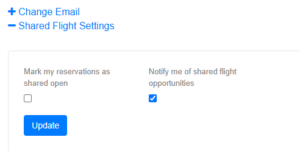
Under Shared Flight Settings choose “Notify me of shared flight opportunities“, and update. If you want all your reservations to be “Shared Open” by default, choose “Mark my reservations as shared open”